Restaurant Setup
Setup Restaurant details
Add your Restaurant details from Settings -> Restaurant Information
Setup Country, Timezone & Currency
Update your Country, Timezone & Currency in Settings -> Country, Timezone & Currency
Setup Theme Settings
Update your Theme in Settings -> Theme Settings
Optional Setup & Information
Setup Payment Gateway Credentials
There are online payment gateways like Stripe
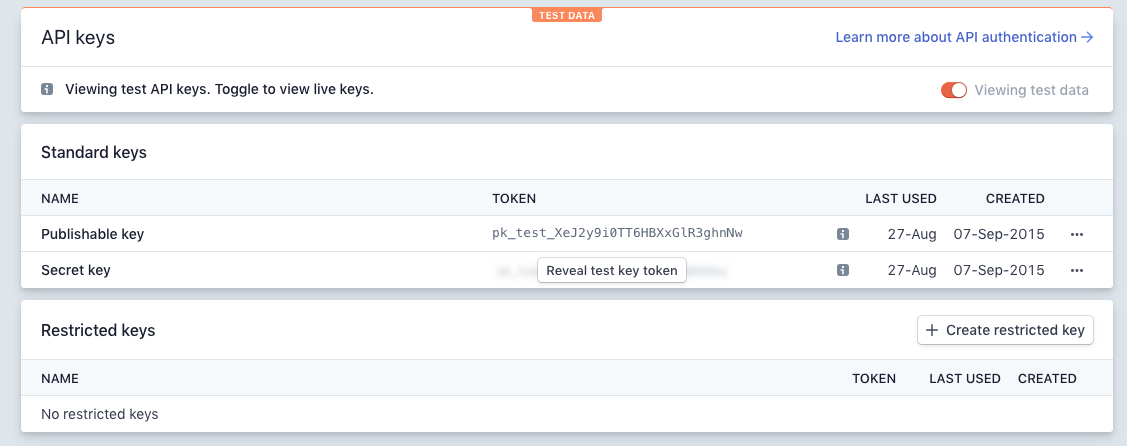
To setup Stripe, you will need API secret key and API publishable key.
To get these, please follow the steps below:
Log in to your Stripe account
Click “Developers” from the top left menu item of the page
Click the “API Keys” submenu item
If you toggled “Viewing testing data“, Stripe will show the test keys, otherwise, the live keys will be shown, for production you will need the “Live Secret Key” and “Live Publishable Key“